Video Software Built So Footage Doesn't Die on a Phone
Record a session on the phone you already own. Pet Ops uploads it, transcribes it, and drafts clips and skill tags for a trainer to review — nothing reaches an owner until a trainer decides to publish it.
Footage Goes to Die at the Upload Step
A trainer we talked to during research already films his sessions on his phone. That part was never the problem:
“he does film sessions — and the videos die on his phone. They never reach the owner or the pipeline… the upload/assign step is where footage goes to die.”
Every trainer we've talked to already has a phone full of session clips no owner has ever seen. The camera was never the gap. The gap is everything after recording — getting a clip off a phone, matched to the right dog and skill, and in front of an owner without eating twenty minutes a trainer does not have between sessions.
Take-home montage — reserved for the real thing
This slot is built to hold a graduation montage once one exists. Nothing staged here in the meantime.
From Phone to Portal
The path a session takes once it's recorded:
- —Record: on the phone the trainer already carries — no dedicated camera or rig required
- —Upload: attached to the enrollment, so it's tied to the right dog from the start
- —Transcript: the session audio is transcribed automatically
- —AI-proposed clips and skill tags: the system suggests moments worth cutting and which skills they show
- —Trainer review: the trainer reviews the suggestions, edits or rejects them, and decides what publishes
- —Owner view: published clips and a baseline-to-graduation comparison land on the report card
AI Drafts. The Trainer Decides.
The AI layer proposes — it does not publish and it does not grade. Every AI-tagged skill moment starts out unconfirmed and stays that way until a trainer reviews it. Nothing reaches an owner unless a trainer actively publishes it — there is no bulk-approve switch; the trainer decides clip by clip.
This is video and audio analysis, not a diagnostic tool. It is not a pose or biomechanics model, and it does not produce behavioral or veterinary conclusions — it proposes clips and skill tags for a trainer's judgment, nothing more. It is also new: we treat the accuracy of AI-proposed tags as a work in progress and do not publish accuracy numbers, because a trainer reviewing every suggestion is the actual safeguard, not a percentage on a page.
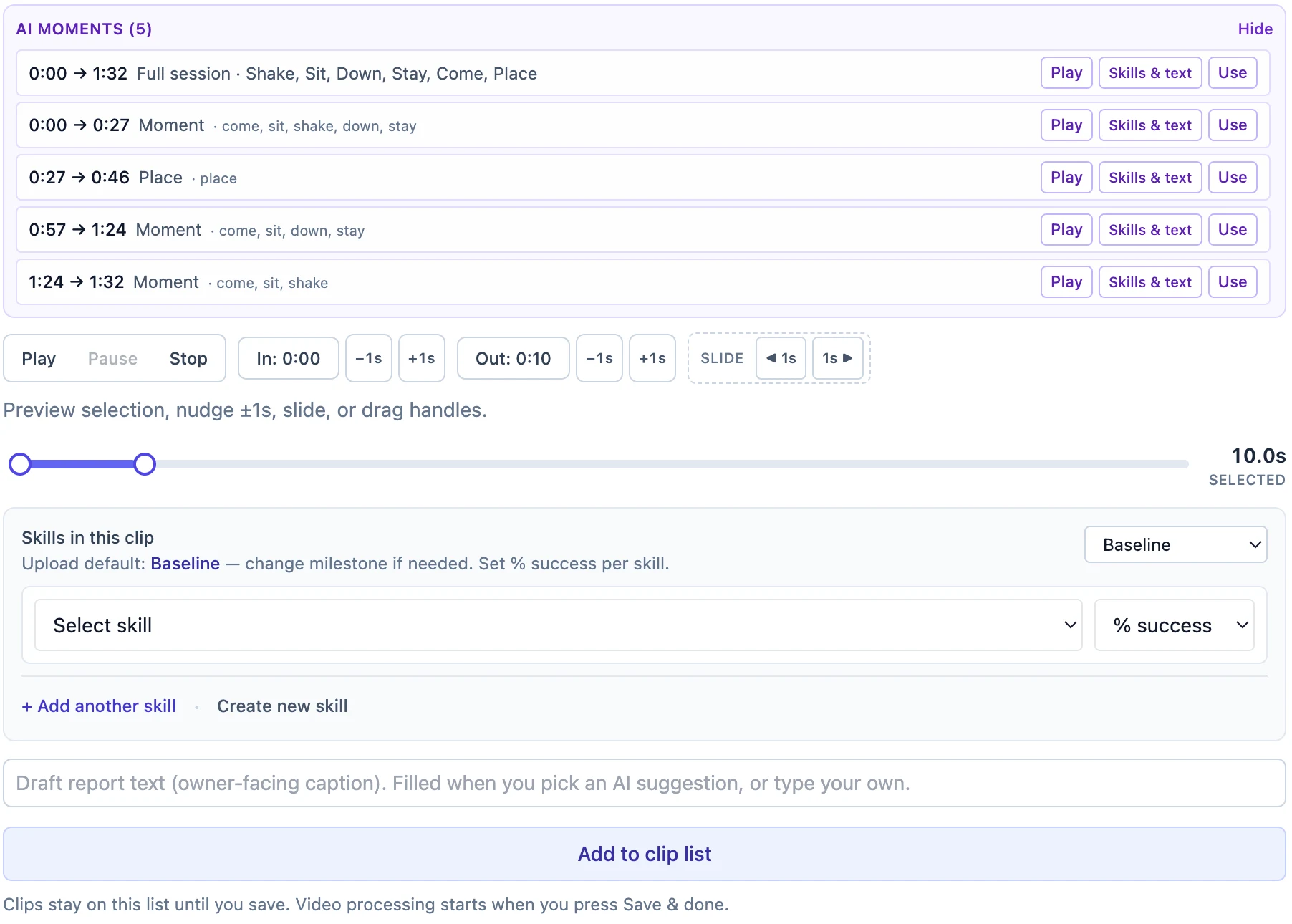
Five proposed moments, none of them published. Each row is an offer the trainer can play, retag, trim, or ignore — the caption stays empty until a person writes or accepts one.
Before and After, Not a Raw Footage Dump
An owner does not get a folder of unedited video. They get the clips a trainer chose to publish, organized by skill, plus a baseline clip and a graduation clip side by side when a trainer sets one — so progress on a specific behavior is something you can watch, not just read a stage label for. At graduation, those published clips become the dog's take-home montage.
Storage That Doesn't Quietly Fill Up
Every org gets 100 GB of included video storage across full sessions, published clips, and owner practice uploads, with an add-on available if a facility outgrows it. Owner practice uploads from the portal are capped at 500 MB per video, which covers a phone-shot practice clip without needing a compression app.
Full, uncut session recordings are not kept forever. They're deleted about 7 days after processing — 14 days at the outside — unless a trainer pins one to keep it longer. That's deliberate storage hygiene, not a bug: raw session footage nobody will ever rewatch stops eating storage automatically, while the clips and highlights a trainer actually published stay on the report card.
Dog Training Report Cards →
Where published clips and before/after comparisons show up for owners
Virtual Dog Training Software →
Owner-uploaded practice video is the core of remote coaching
Related Reading
Stop Losing Session Footage at the Upload Step
Pet Ops gets a phone recording from a trainer's pocket to an owner's report card — with a trainer deciding what publishes at every step.
Start Free